

Transforming a Legacy B2B Portal Into a Modern Ecommerce Experience
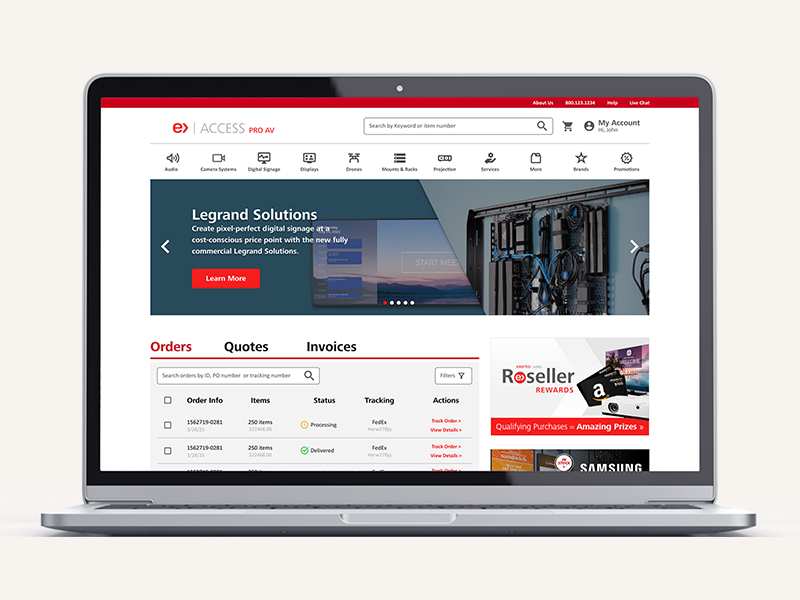
Project Overview
Background
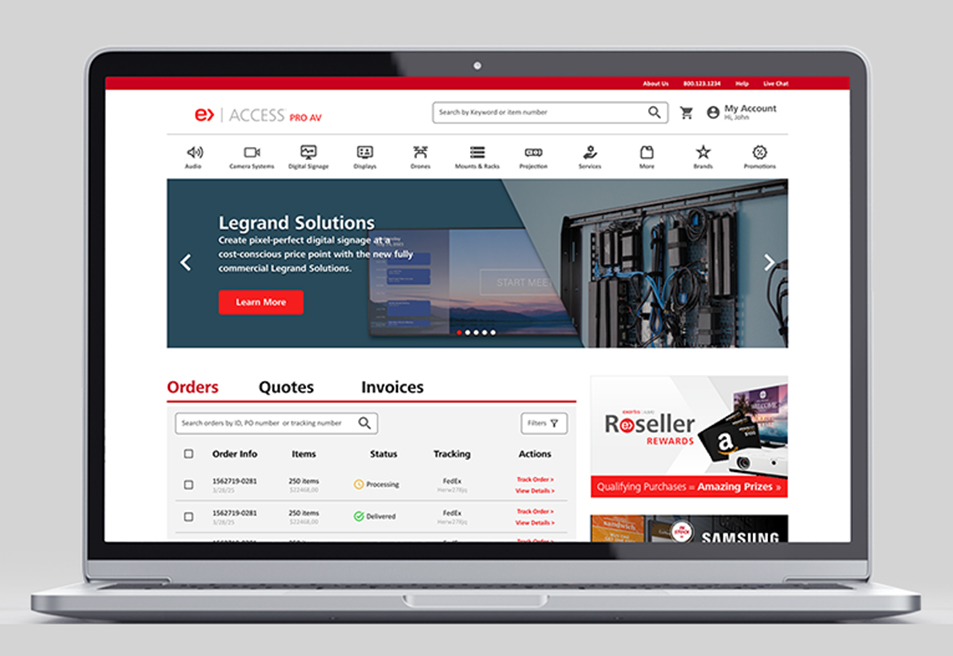
Almo Pro AV's B2B portal, Access, had grown complex and hard to navigate over time, making it difficult for resellers to find products, track orders, and manage quotes. The goal: modernize the experience without breaking the workflows buyers already relied on.
My Role
Partnered with the Head of UX, who led research and early prioritization, while I owned sitemap restructuring, navigation strategy, feature organization, and UI design.
Project Length
10 weeks
Who Was It Built For?
Problem
The Challenge
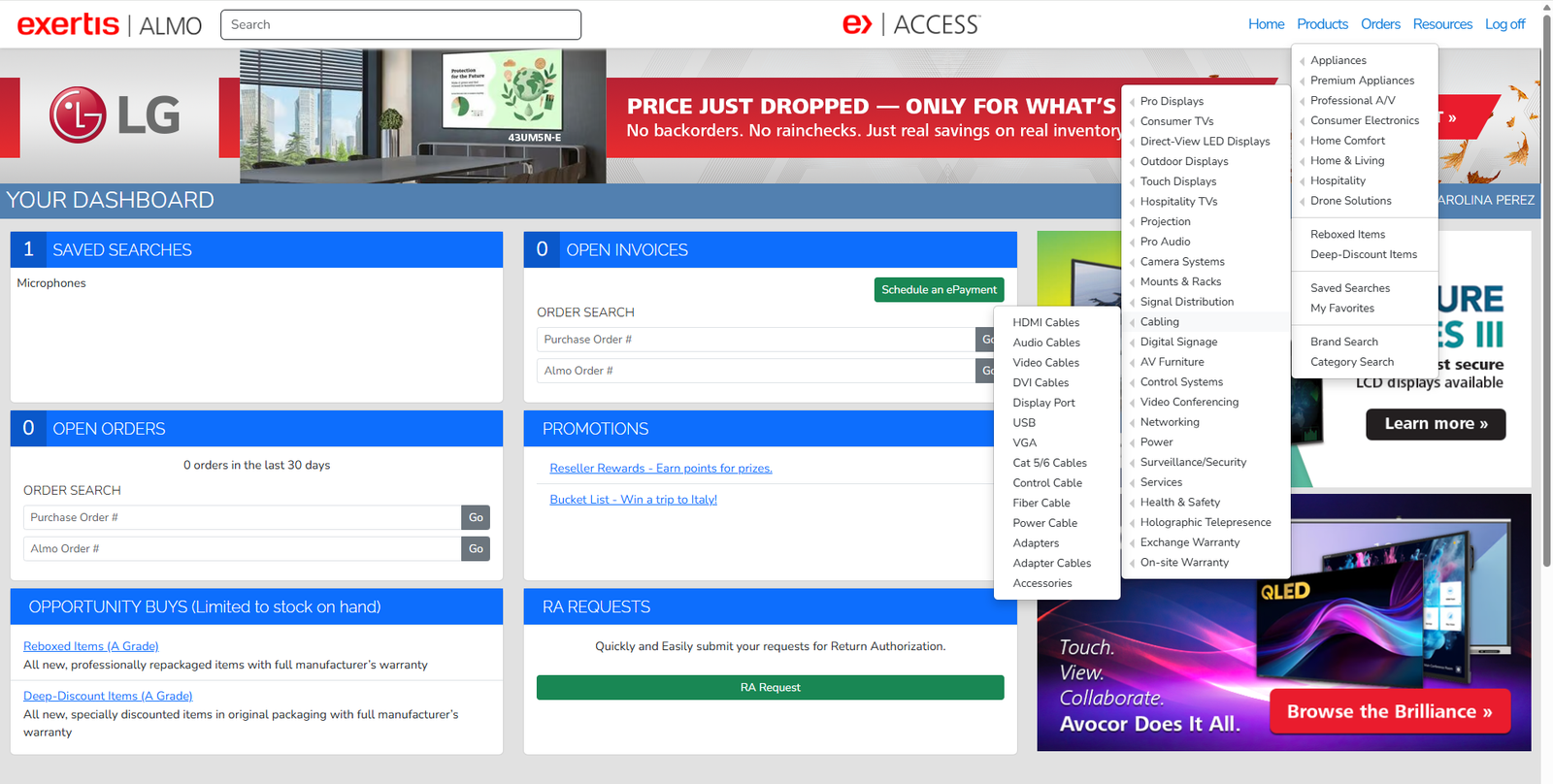
The original Access platform had become difficult to navigate and inefficient to use as years of legacy content, disconnected workflows, and new tools accumulated. Support tickets and reseller feedback surfaced recurring pain points:
The result was a fragmented experience that made it harder for partners to research products, build quotes, and support their own customers efficiently.
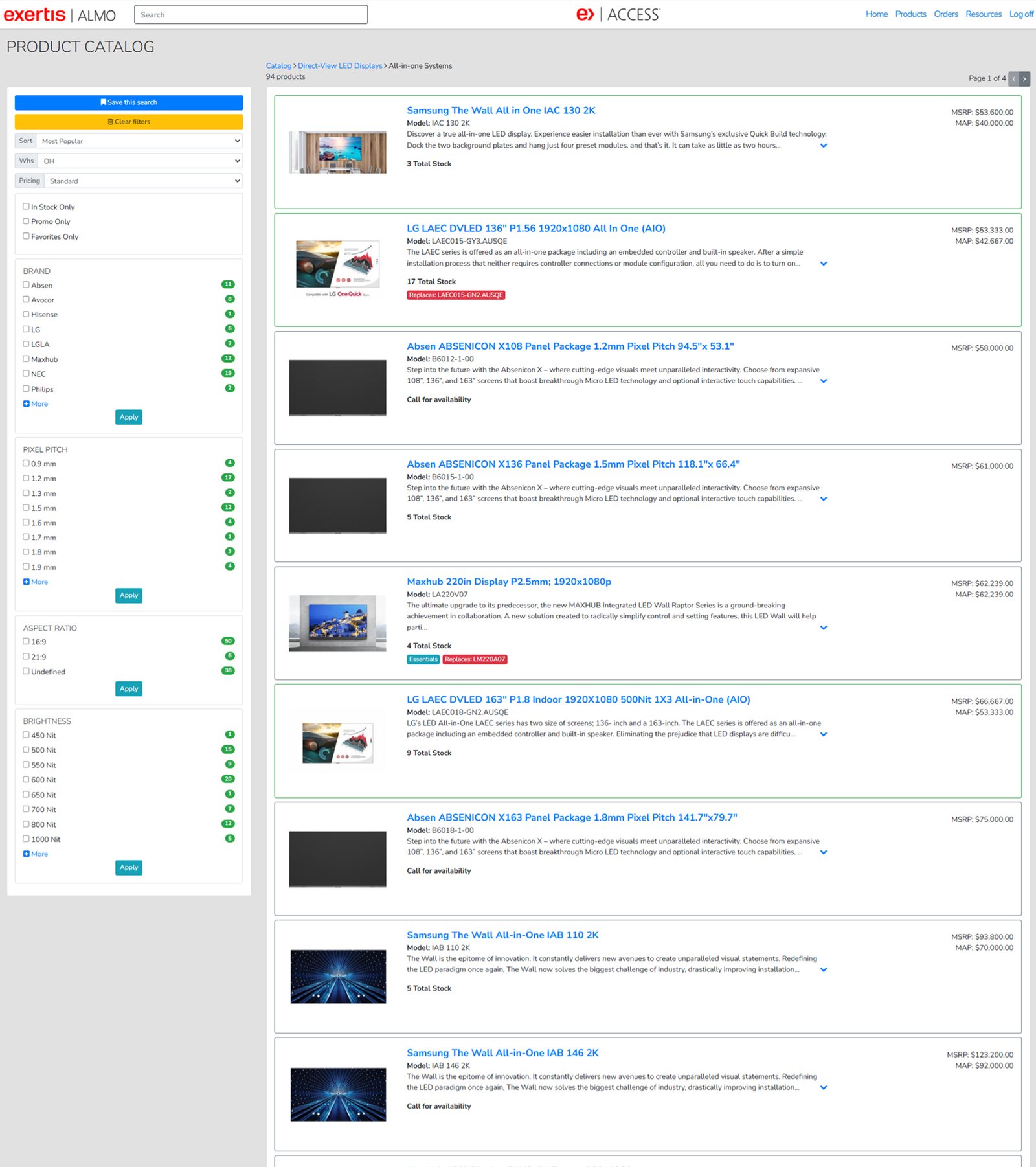
Balancing modernization with familiarity.
The challenge wasn't just modernizing the UI, it was reorganizing a complex B2B ecosystem without disrupting the workflows resellers already relied on daily. The redesign needed to modernize UX patterns and simplify workflows while preserving enough familiarity for long-time users to adapt comfortably.
Key Business Implications
Left unaddressed, these issues meant increased support costs, missed revenue from poor product discovery, and reseller frustration with a platform core to their daily workflow.
Mapping The Experience
Before rebuilding Access, I needed to understand what was there.
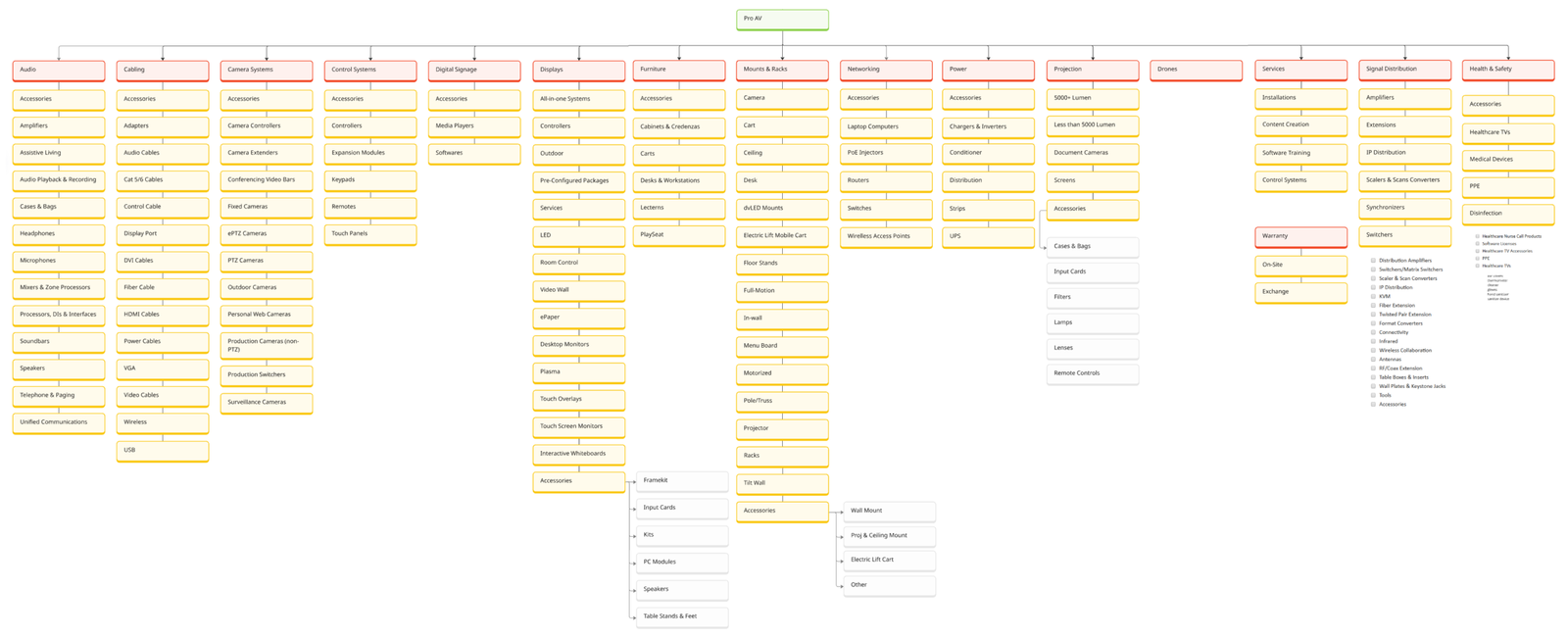
I audited the existing sitemap, category by category, to understand how products, resources, and workflows were organized across the platform.
What I discovered
The structure had grown into one flat hierarchy, over 40 top-level categories and hundreds of subcategories, trying to serve every user type the same way.
Rethinking the Structure
What if Access didn't have to look the same for everyone?
What if the experience could adapt to each user? This was the core hypothesis behind personalizing Access by user type.
For a reseller who primarily works with displays, for example: display-related products, brands, and resources would surface first, while categories outside their focus stay out of the way. Finding a display, checking availability, and adding it to a quote would take fewer steps, and the interface would visually prioritize what's relevant over what isn't.
Solution
Once we identified that a one-size-fits-all experience no longer worked, the direction became clear: create a customized experience around each user's needs. The goal wasn't just to redesign the UI, it was to transform Access into a platform users could rely on every day.
Creating structure from complexity.
One of the biggest opportunities was reorganizing the platform around how users naturally think and work. I restructured the sitemap and navigation into five core categories:
This reduced cognitive overload and created clearer, more predictable pathways throughout the portal.
Designing smoother workflows for busy B2B users.
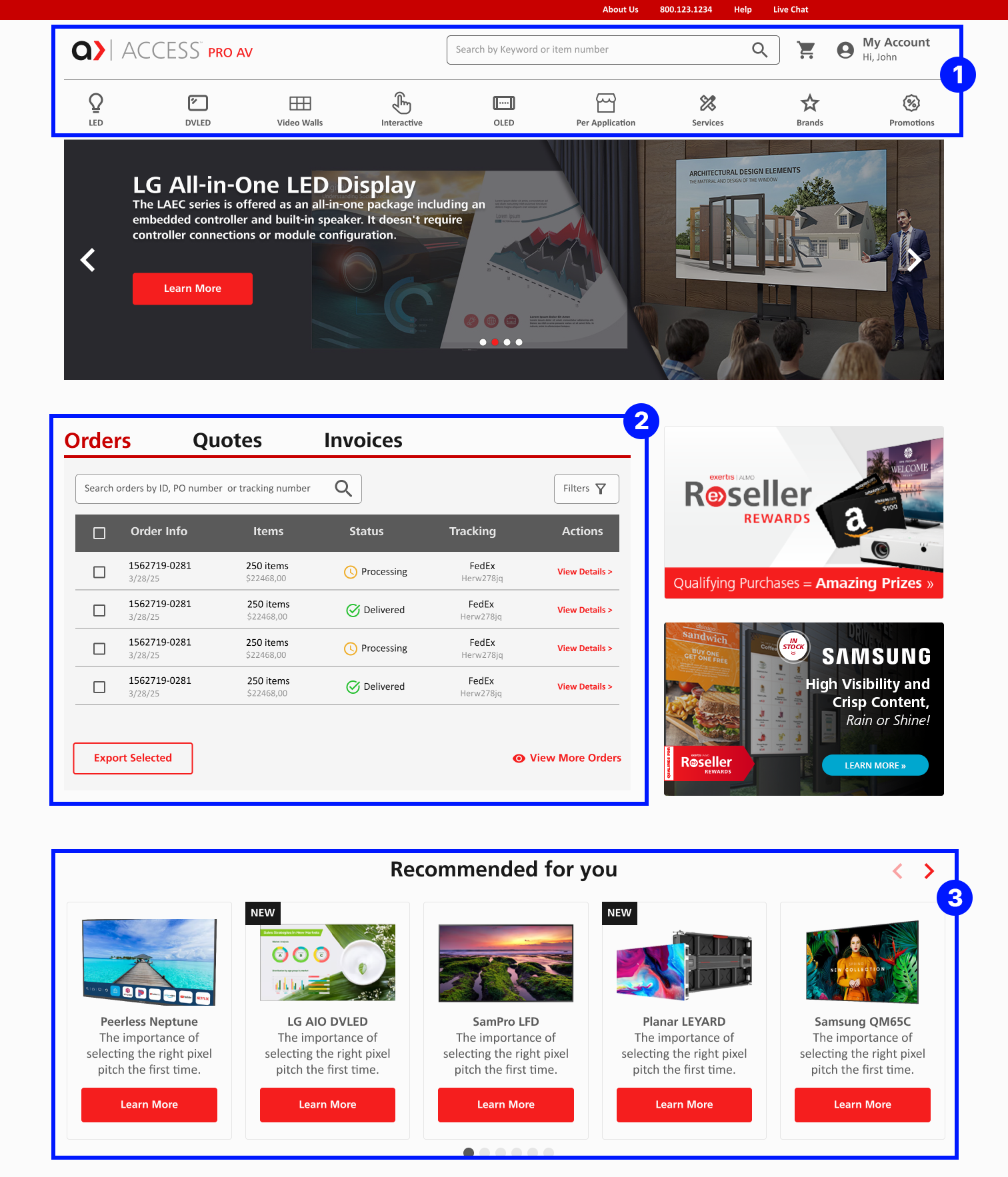
The redesign introduced new functionality to support real reseller workflows and reduce friction during key tasks, including saved carts, quote-building tools, product filters, stock and bidding indicators, live chat, and personalized recommendations. Saved carts and quote tools addressed how reseller purchasing decisions often span multiple sessions and require approval before checkout, while improved filters and live chat helped buyers navigate large catalogs and get support without leaving their workflow.
Modernizing the experience while building trust
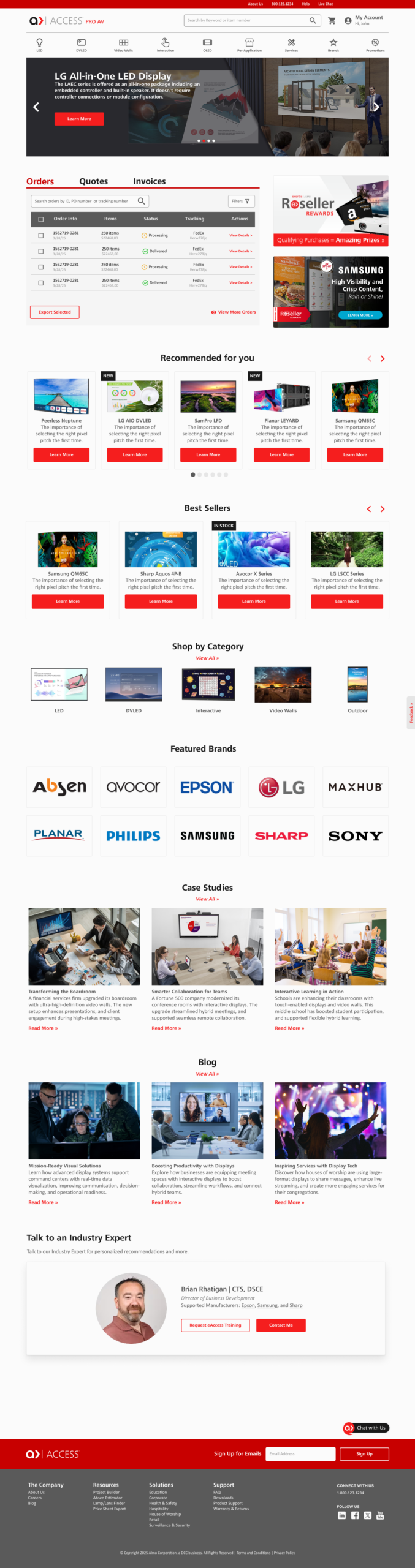
Visually, the original platform felt dense and outdated. The redesign introduced cleaner layouts, a stronger typography hierarchy, and consistent UI components across pages, creating a more professional interface that better reflected Almo's scale and expertise.
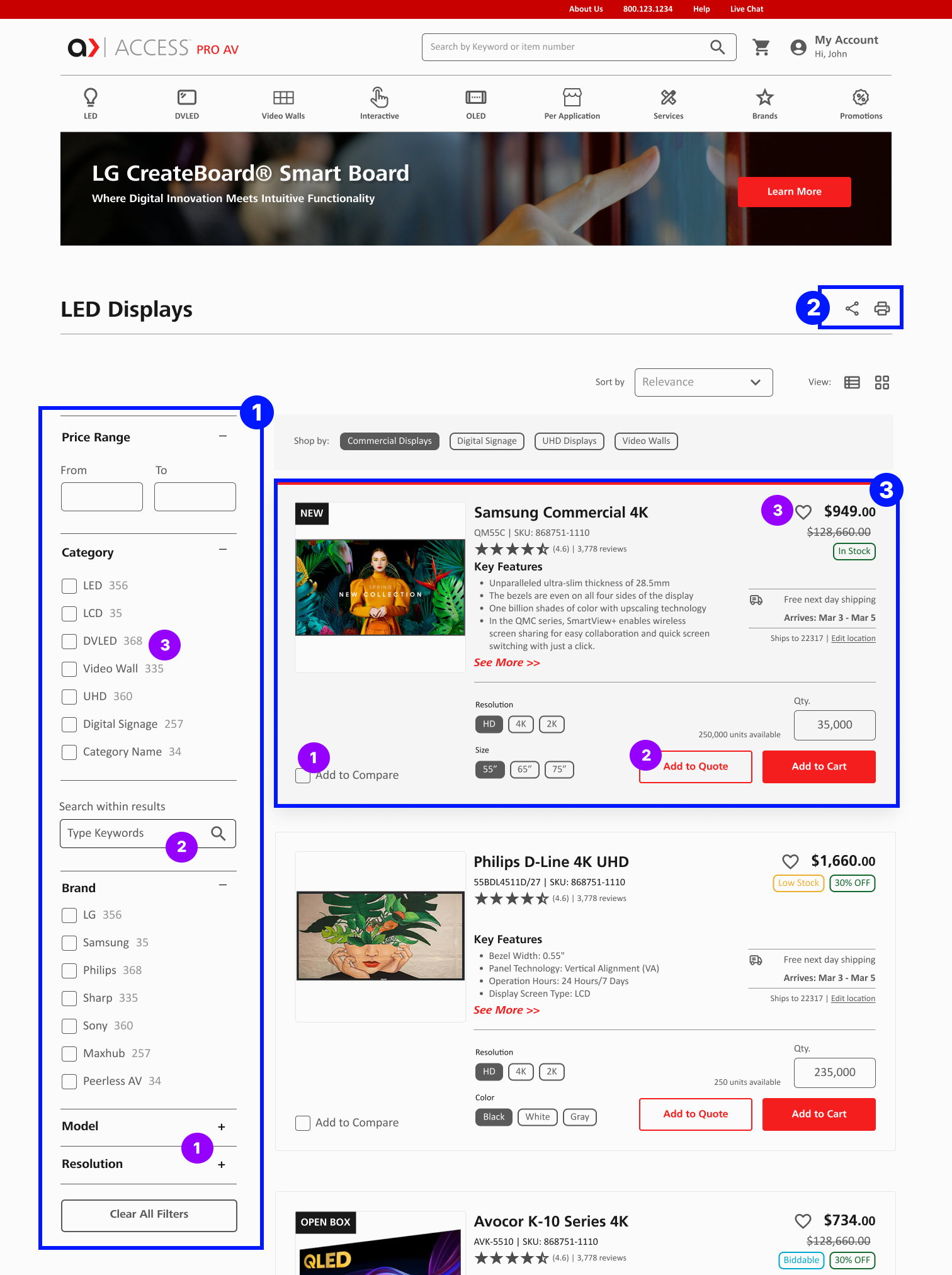
Keyword search within results: Buyers can refine a filtered list by typing a term instead of scrolling, improving findability in a large catalog
Faceted navigation with result counts: Counts beside each option set expectations before clicking and prevent dead-end results
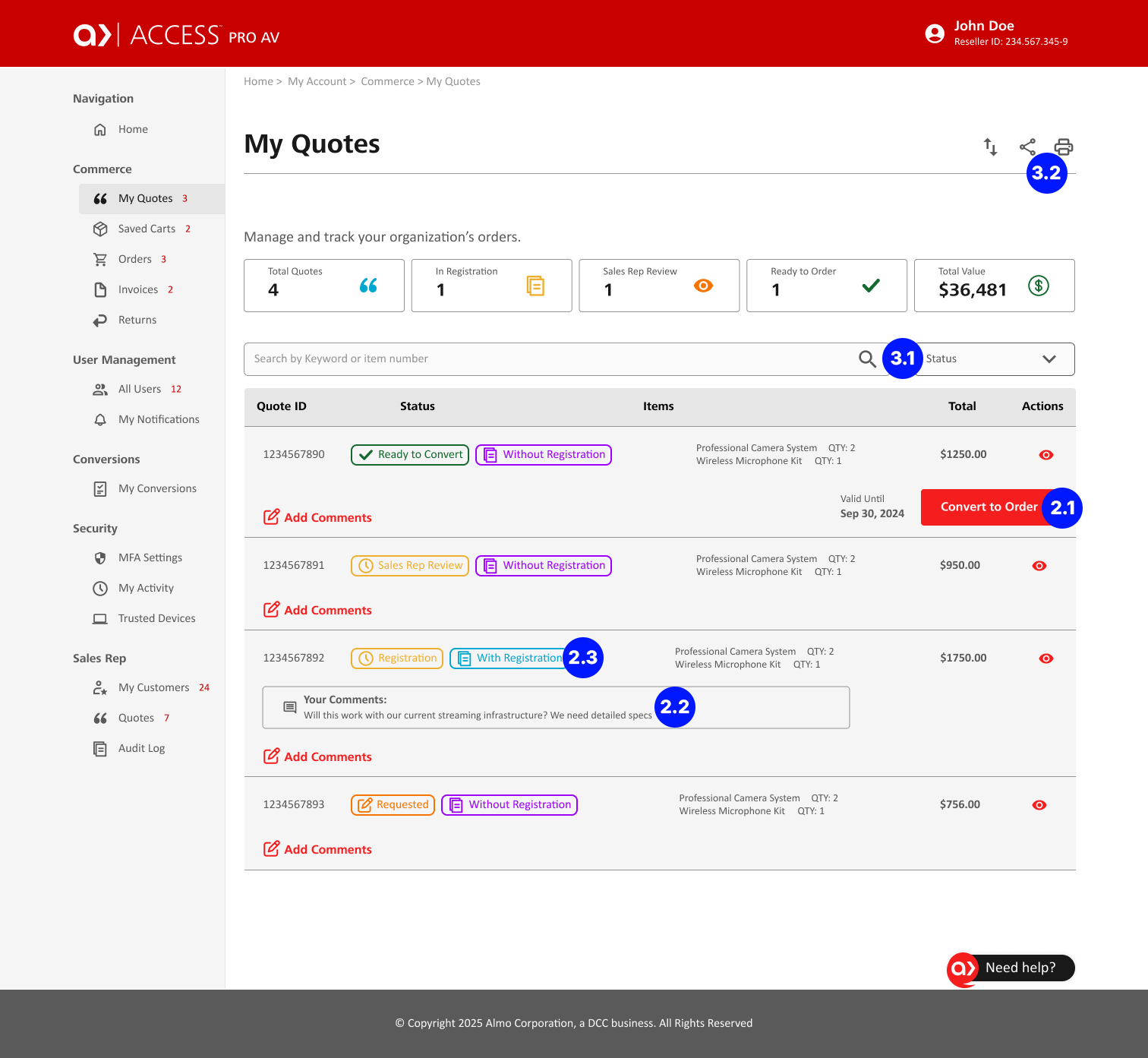
The Quotes page didn't exist before, buyers had to call or email their sales rep to check quote status. Adding self-service tracking let users manage quotes independently and reduced reliance on customer support.
Impact
I left the company before usability testing was completed, so I don't have quantitative results to share. Based on the goals the redesign was built around, I'd expect to see:
The redesign positioned Access to become a more scalable, self-service platform that better supports how resellers actually work.
Key Takeaways
Designing enterprise systems requires both strategy and restraint. This project reinforced how critical information architecture is within complex B2B ecosystems. It also highlighted the importance of balancing user expectations, business goals, and legacy system constraints.
If I had continued on the project, my next steps would include:
This redesign laid the foundation for a more scalable, self-service platform, one built around how B2B users actually work, not just how the old system happened to grow. The groundwork is there; the next phase is validating it with real users and iterating from what they show us.
Selected UX Design Works

Adding a feature to Expedia WebsiteUX/UI Design
Access Almo Pro AV Ecommerce Portal RedesignUX/UI Design

X Borders AppUX/UI Design
cruise.com Responsive Website RedesignUX/UI Design
Address: 1014 W. 36th Street, Baltimore, MD 21211
Phone: +1 240 883 2123
Email: carolina@maydigitaldesign.com
© May Digital Design 2026